 GME HRMS
Employee self-service
Attendance and field visits, recorded where the work happens.
GME HRMS lets employees check in, log customer visits, file claims and request leave from their phone — with location and selfie verification, so the record reflects where people actually were.
Get it on Google Play. Accounts are provisioned by your organisation’s HR or IT team.
- Check in Selfie + GPS
- Visit Andheri East
- Visit Powai
- Check out Tracking ends
Location is recorded only between check in and check out. Checking out stops it immediately.
What it does
Nine modules, one login
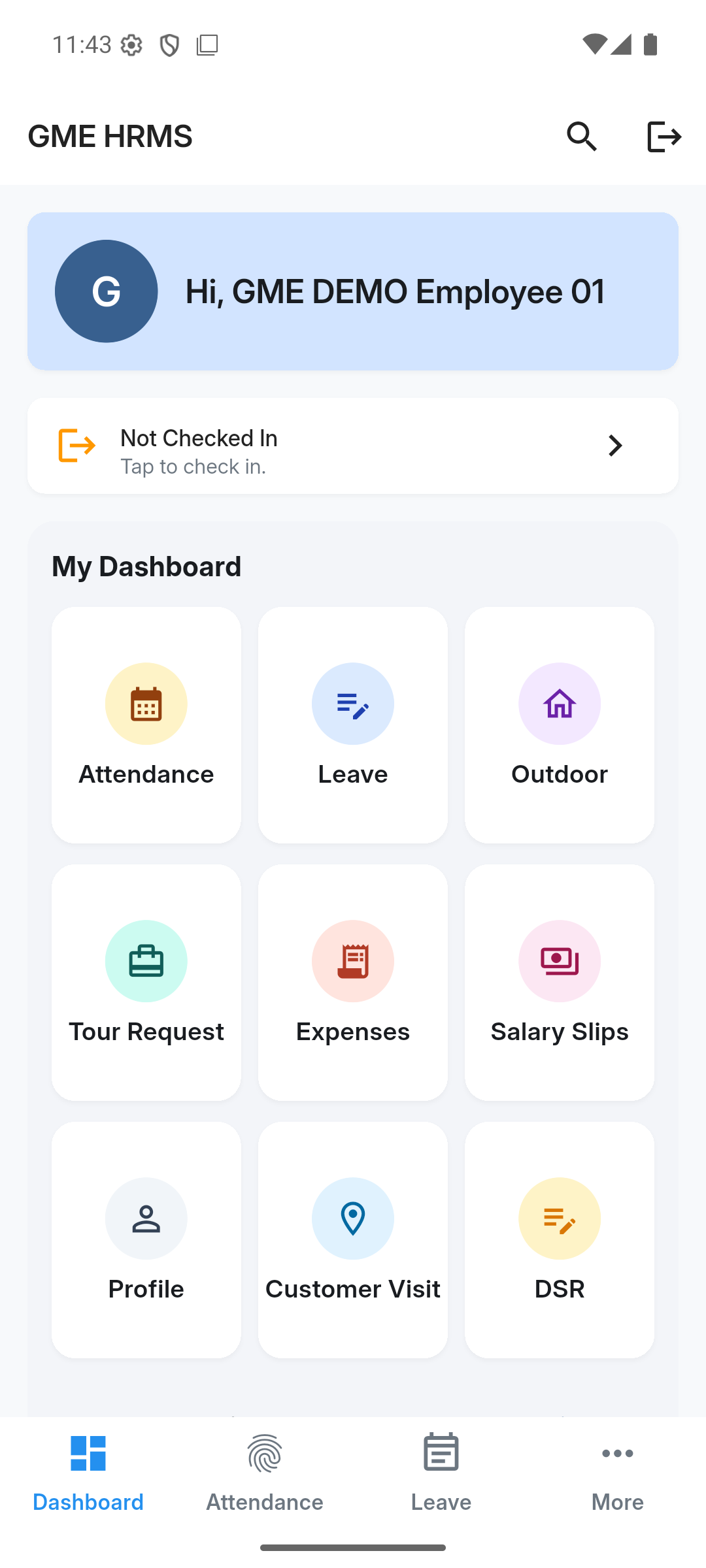
Every request an employee would otherwise raise by email or paper, handled in the app and synced straight to your organisation’s ERP.
- Attendance
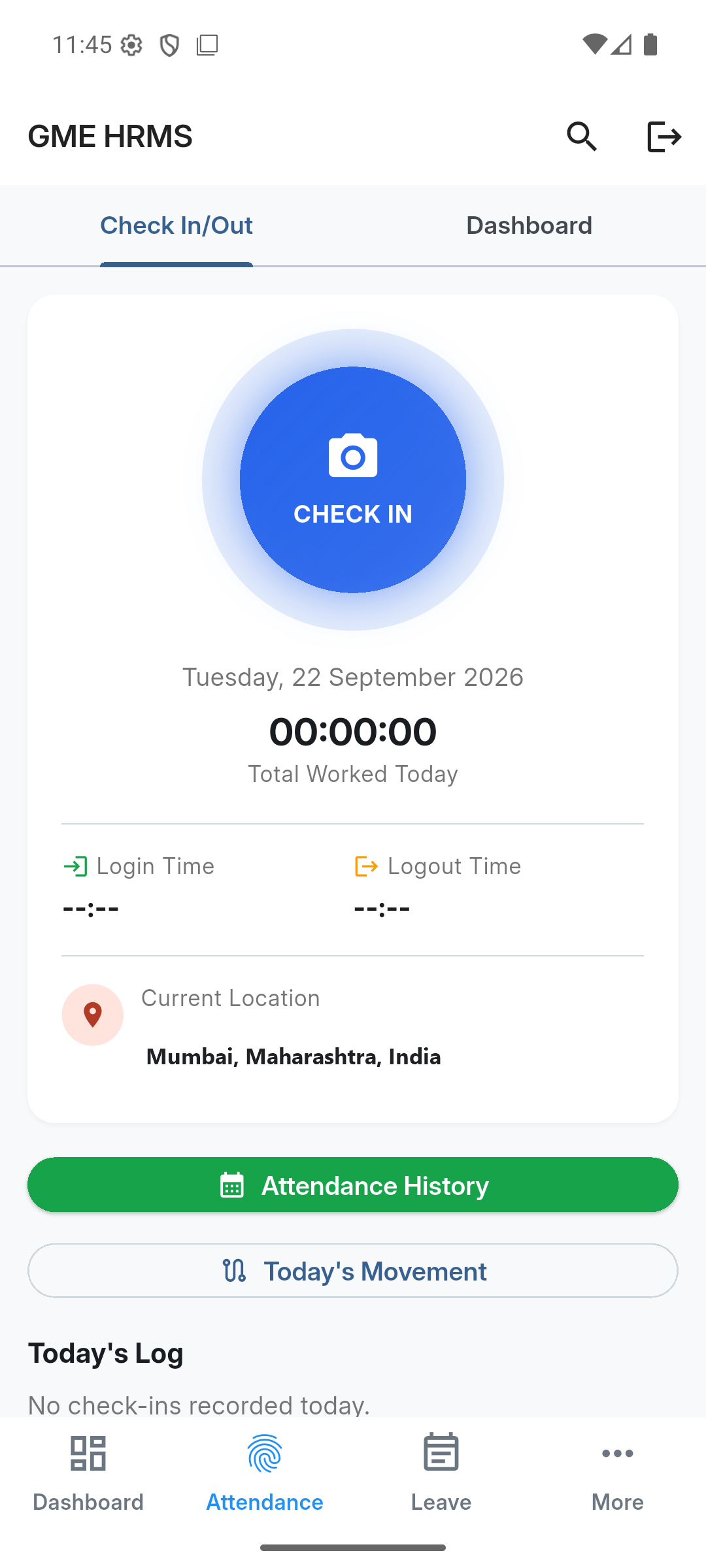
- One-tap check in and check out, with a verification selfie and the GPS address resolved at that moment. camera + location
- Customer Visit
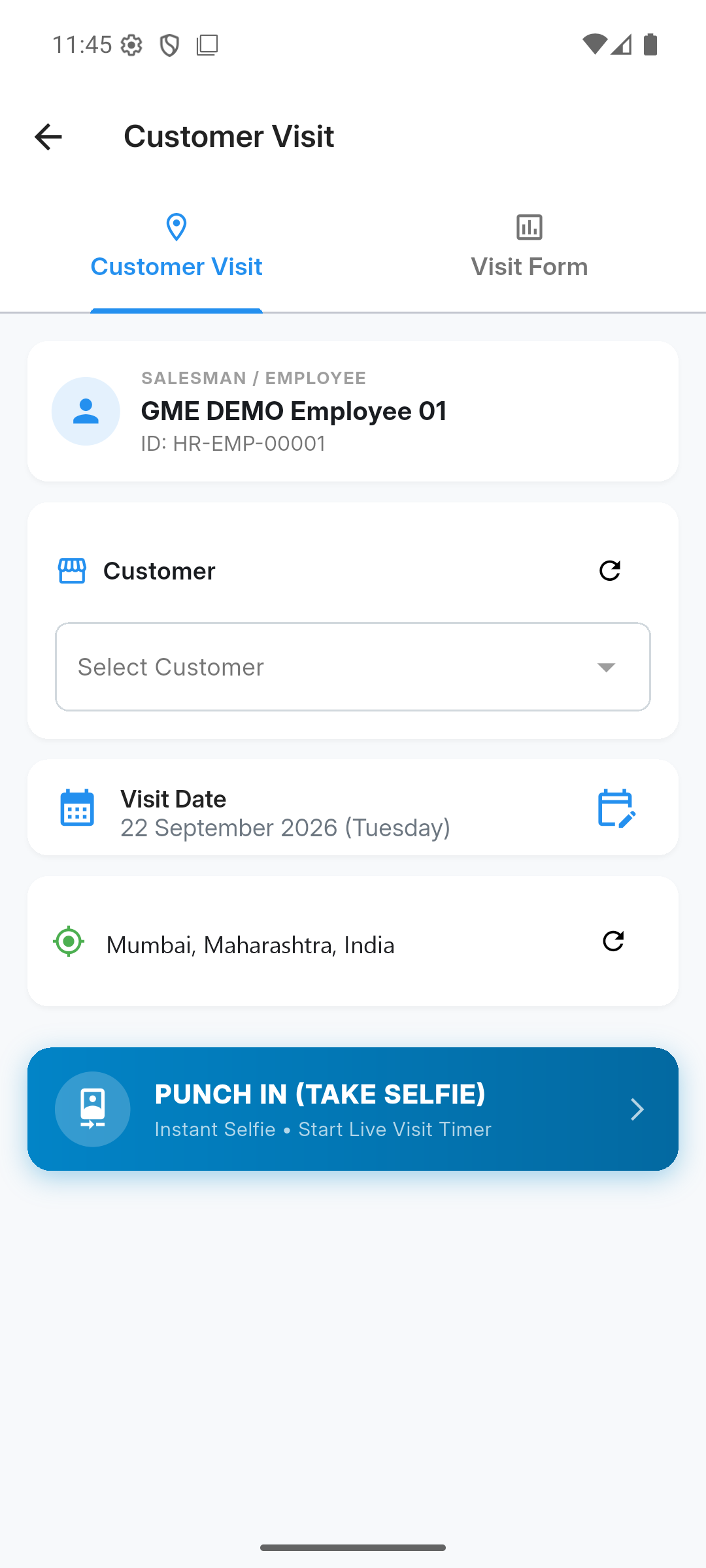
- Punch in at a client site, attach photos of the premises, and let the app log the location and duration. camera + location
- DSR
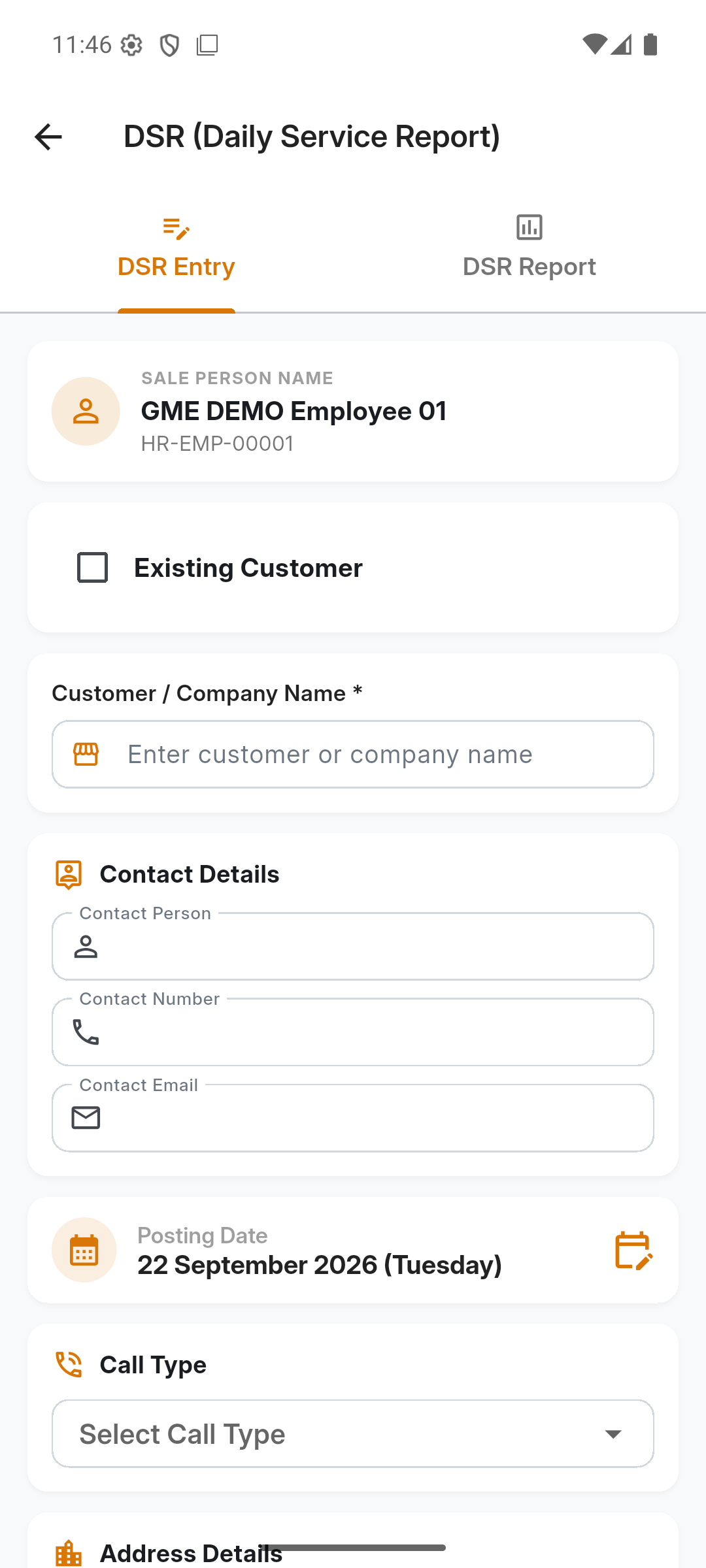
- Daily service reports: log the call type, the company, who you met and the outcome, while it is still fresh.
- Leave
- Apply for casual, sick or earned leave and see live balances and approval status without chasing HR.
- Expenses
- Submit travel and business claims with receipt photos attached, then track reimbursement status. camera
- Outdoor Duty
- Raise outdoor duty requests for client meetings or site assignments, synced with HR records in real time.
- Tour Request
- Plan multi-day travel: raise the request, get it approved, and keep it linked to the visits it produces.
- Salary Slips
- Open and download monthly payslips from the phone, without raising a request with payroll.
- Profile
- Your employment record as HR holds it: designation, employee ID, contact details and reporting line.
In the app
Built to be used one-handed, outdoors
Large targets, high-contrast text and a short path from opening the app to the action that matters.
Data and permissions
What the app collects, in plain words
GME HRMS carries no advertising, no analytics and no tracking SDKs. Everything it records goes to your employer’s own ERP server. The only other service is Google Maps, which draws your route map, and an update service (Shorebird) that receives no personal data.
-
While on duty
Location
Precise GPS at check in and check out, and periodically in between, to verify site presence and build the day’s route. A persistent notification shows while this is running.
-
On your action
Camera
Only when you tap to take a verification selfie, a photo of a customer site, or a receipt. The app never browses your photos on its own and never captures in the background. It reads a file only when you choose one to attach.
-
Never
Sold or shared
No data is sold, rented or passed to advertising networks or data brokers. Access is limited to authorised administrators inside your organisation.
Tracking stops when you check out. There is no background location permission in this app — once the duty day is closed, it cannot record your position at all. The full detail is in the privacy policy, and you can request deletion of your data at any time.